Hi everyone,
I’m very happy to share v2 of @docs.plus/extension-hypermultimedia, an open-source multimedia extension for Tiptap 3.
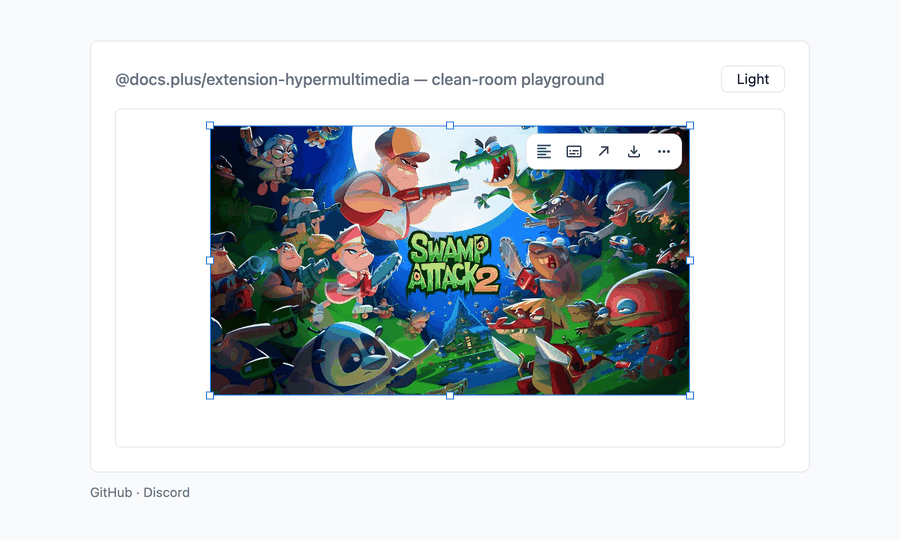
Embedding media involves more than rendering an image or iframe. It also requires URL detection, paste handling, loading states, captions, resizing, editing controls, and keeping embedded player interactions usable.
HyperMultimedia brings these pieces together through one configurable kit.
Key features
- Nine media nodes: image, audio, video, YouTube, Vimeo, SoundCloud, Spotify, X, and Loom
- Automatic embeds when supported provider URLs are pasted
- A shared toolbar for alignment, captions, URL replacement, copying, downloading, and deleting
- Persistent drag-to-resize for eight nodes, with aspect-ratio locking
- Size presets for X posts
- Editable captions and responsive loading states
- Customizable toolbar, actions, icons, and loading shell
- Light and dark theme support
- Optional Markdown import and export
- One
HyperMultimediaKit.configure()call to add all nine nodes
Version 2 also introduces Spotify and Loom embeds, camelCase node names, X support replacing Twitter, and a rebuilt media toolbar.
Install the Tiptap multimedia extension:
npm install @docs.plus/extension-hypermultimedia
- Try the live HyperMultimedia demo
- Install @docs.plus/extension-hypermultimedia from npm
- Read the source code and documentation on GitHub
- Watch the HyperMultimedia v2 demo in the Tiptap Discord community
- See the related Hyperlink v2 extension
I’d be very happy to hear feedback from the community, especially about the NodeView behavior, resize persistence, media toolbar interactions, and paste precedence with link extensions.
If you try it and need help with the integration, feel free to reply here or message me.